10 Customer Onboarding Best Practices to Convert More Trials in 2026
The gap between a trial signup and a paid subscription is where most SaaS companies leak revenue. Generic welcome emails and passive product tours are no longer sufficient to secure a conversion. For B2B SaaS operators, effective onboarding is not a feature demonstration. It is a meticulously engineered journey guiding a user to their first moment of realised value. This process is the critical bridge between initial interest and long-term customer commitment.
This guide presents 10 actionable customer onboarding best practices. We move beyond abstract theory to offer specific strategies for trial-focused businesses. Each practice is explicitly linked to a measurable SaaS metric, such as Trial Conversion Rate or Time-to-Value. This ensures you can connect implementation directly to a tangible impact on your bottom line. We will explore how to automate guidance, personalise user experiences, and track the activation milestones that genuinely predict customer success.
Forget surface-level advice. Here, you will find practical steps for everything from segmenting onboarding paths to deploying data-driven A/B tests on your setup flow. We will cover how to design strategic email sequences that drive action, reduce friction during setup, and leverage conversational AI for immediate support. This guide is built for founders and product managers who understand that a world-class product deserves a world-class introduction. The goal is to provide a clear framework for transforming new signups into engaged, paying customers.
1. Automated Guided Tours and In-App Walkthroughs
Automated guided tours deliver interactive, step-by-step introductions to core features. They trigger based on user behavior. This removes manual intervention by showing contextual tooltips and modal overlays exactly when a user needs guidance.
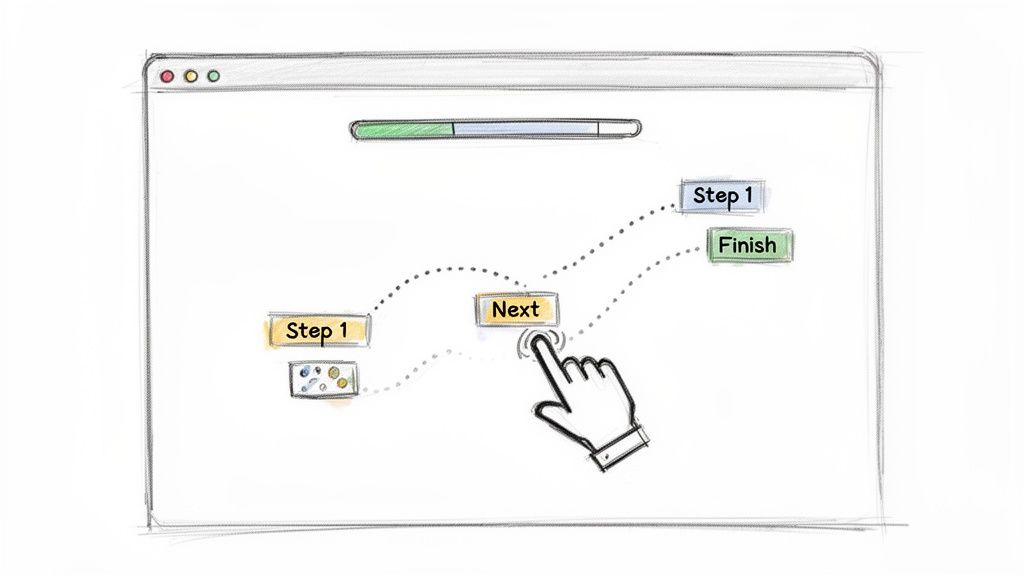
These walkthroughs can trigger on first login, after a specific click, or when usage stalls. By tying each step to a backend event, you accelerate Time-to-Value and move trial users towards activation milestones.
Why It Works for SaaS
Automated tours directly impact your Trial-to-Paid Conversion Rate. By guiding users to their “aha” moment faster, you reduce the chance they abandon the trial due to confusion. A well-designed tour can increase the percentage of users who complete key setup tasks by 20–30%.
A Practical Example
A project management tool wants new users to create their first project. On a user’s first login, a 3-step tour appears.
Step 1: A tooltip points to the “New Project” button.
Step 2: A modal asks for the project name.
Step 3: A final tooltip highlights the “Add Task” button.
This simple, focused flow ensures the user performs the single most important activation action immediately.
Implementation Section
Identify the Core Action: Define the one task a user must complete to see value.
Choose a Tool: Select an in-app guidance tool like Inline Manual, Pendo, Appcues, or Userpilot.
Build the Flow: Create a 3-5 step tour focused only on the core action. Use action-oriented copy like “Create your first project.”
Set the Trigger: Configure the tour to launch automatically for all new users upon their first login.
Track Completion: Use the tool’s analytics to monitor the tour completion rate. A/B test the copy or number of steps if drop-off is high.
Measuring Success
Primary Metric: Tour Completion Rate. Aim for >60%.
Business Metric: Trial Conversion Rate. Correlate users who complete the tour with their likelihood to convert to a paid plan.
Secondary Metric: Time-to-First-Key-Action. Measure if the tour reduces the time it takes to create that first project.
Automated tours are a top customer onboarding best practice because they merge contextual learning with measurable results, ensuring users unlock value swiftly.
2. Progressive Profiling and Smart Data Collection
Progressive profiling collects user information incrementally, not all at once. Instead of a long signup form, you gather data contextually during the onboarding journey. This reduces friction while building a comprehensive user profile for personalisation.
This approach respects the user’s time. It asks for relevant information only when needed to unlock specific value. By gradually enriching user profiles, you can tailor in-app guidance, email campaigns, and sales conversations for maximum impact.
Why It Works for SaaS
This method directly increases your Signup Completion Rate. By reducing the number of initial fields from ten to three, companies often see a 20%+ lift in completed signups. The richer, contextual data collected later also boosts the Activation Rate for core features.
A Practical Example
A CRM for sales teams has a free trial.
Signup: It asks only for a work email and password.
First Login: A modal asks, “What’s your role?” with options like “Sales Rep,” “Sales Manager,” or “Operations.”
Later: When the user clicks “Integrations,” the app asks for their company size to recommend the right tools.
This flow maximizes initial signups and collects valuable segmentation data at the most relevant moments.
Implementation Section
Audit Your Signup Form: Identify essential fields. Move everything else (like role, company size, use case) into the in-app experience.
Map Data to Value: For each piece of data you want, determine when asking for it provides immediate value to the user. Ask about their role to customize the dashboard. Ask about team size to unlock collaboration features.
Implement In-App Prompts: Use modals or inline questions at key moments in the user journey.
Connect Your Data: Ensure the data collected in-app is sent to your CRM and marketing automation tools for segmentation.
Measuring Success
Primary Metric: Signup Form Completion Rate.
Business Metric: Activation Rate by Segment. See if “Sales Managers” who provide their role data activate at a higher rate than those who don’t.
Secondary Metric: Profile Completion Percentage over the first 14 days.
Progressive profiling is one of the most effective customer onboarding best practices because it balances your need for data with the user’s desire for a frictionless experience.
3. Behavioral Activation Events and Milestone Tracking
Behavioral activation events are key actions that signal meaningful engagement. Instead of tracking generic usage, this practice identifies specific moments that correlate with long-term retention.
Tracking these milestones allows you to move beyond vanity metrics. You can understand which users are on the path to becoming paid customers. When a user completes an event, you can trigger personalised follow-ups or in-app celebrations.
Why It Works for SaaS
Focusing on activation events directly impacts your Customer Churn Rate. Teams that define and drive users toward these milestones often see a 10-15% reduction in first-month churn. It turns onboarding from a checklist into a data-driven process.
A Practical Example
For a social media scheduling tool, analysis shows that users who connect 3+ social accounts and schedule 5+ posts in their first week are 80% less likely to churn.
Activation Event 1: “Connected 3 Social Accounts.”
Activation Event 2: “Scheduled 5 Posts.”
The entire onboarding flow, from in-app tours to emails, is now designed to push users toward these two specific goals.
Implementation Section
Analyze Retained Users: Use a tool like Mixpanel or Amplitude to identify the common actions of users who stick around vs. those who churn.
Define 2-3 Events: Choose the few critical actions that have the highest correlation with retention.
Instrument Tracking: Work with engineering to ensure these events are tracked accurately.
Build Interventions: Create automated emails or in-app messages that trigger for users who haven’t completed an event within a set timeframe (e.g., 3 days).
Gamify Milestones: Celebrate when a user hits a milestone, a core tactic in product gamification.
Measuring Success
Primary Metric: Activation Rate (% of new users who complete all key events).
Business Metric: Month 1 Retention Rate.
Secondary Metric: Time-to-Activation (average time for a user to hit the milestones).
Focusing on activation milestones is critical for customer onboarding best practices because it shifts the focus from simple usage to demonstrated value.
4. Personalized Onboarding Paths Based on User Segments
Personalised onboarding paths tailor the user experience to different roles or use cases. Instead of a one-size-fits-all journey, users are routed through custom flows that highlight relevant features. This accelerates their Time-to-Value.
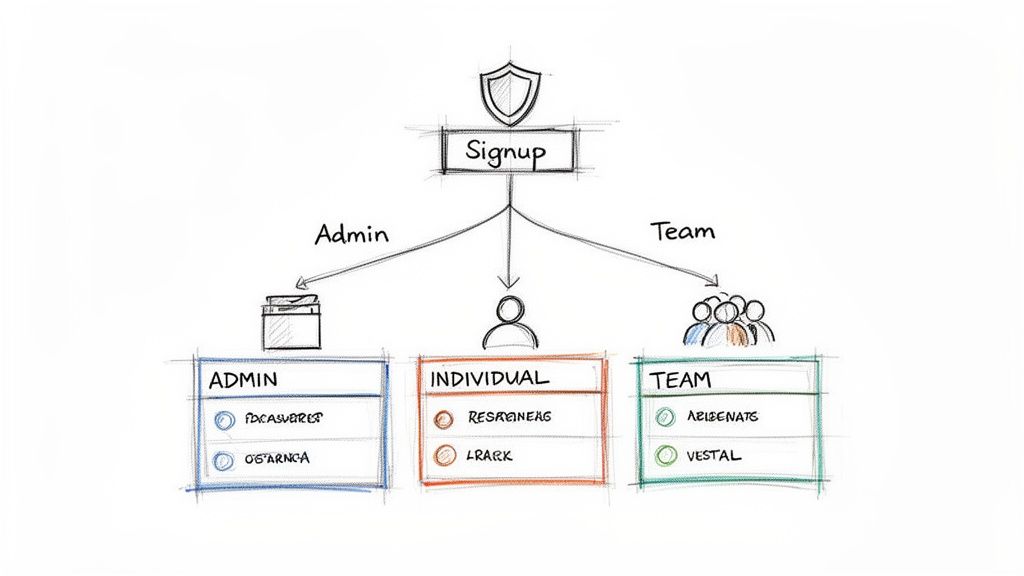
Segmentation can be based on data collected during signup, like role or team size. By delivering a tailored first experience, you demonstrate a deep understanding of the user’s problems and guide them directly to the solutions.
Why It Works for SaaS
Personalization directly lifts the Feature Adoption Rate for key segments. By showing the right features to the right users, you can increase adoption of secondary, “stickier” features by over 30%. This, in turn, improves long-term retention.
A Practical Example
A marketing automation platform asks users their role during signup.
Email Marketers are guided to the campaign builder and A/B testing features.
Social Media Managers are shown the content scheduler and social analytics dashboard.
Admins are prompted to set up user permissions and integrations first.
Each user gets a relevant first experience, avoiding overwhelm from seeing features they don’t need.
Implementation Section
Define 2-3 Core Personas: Identify your primary user segments (e.g., Manager, Individual Contributor, Admin).
Ask at Signup: Use a simple question during signup to segment users.
Map Features to Personas: For each persona, list the top 3 features they need to see value.
Build Custom Tours: Use your in-app guidance tool to create a separate onboarding tour for each persona.
Trigger the Right Tour: Use the data from the signup question to trigger the correct tour for each user.
Measuring Success
Primary Metric: Feature Adoption Rate per persona.
Business Metric: Trial Conversion Rate per persona.
Secondary Metric: Cohort analysis comparing the retention of segmented vs. non-segmented users.
Personalising the journey is a powerful customer onboarding best practice because it shows users you understand their specific problems.
5. Rapid Value Demonstration Through Quick Wins
Structuring onboarding to deliver a tangible result within the first session is a critical strategy. These “quick wins” build momentum and motivate users to continue exploring.
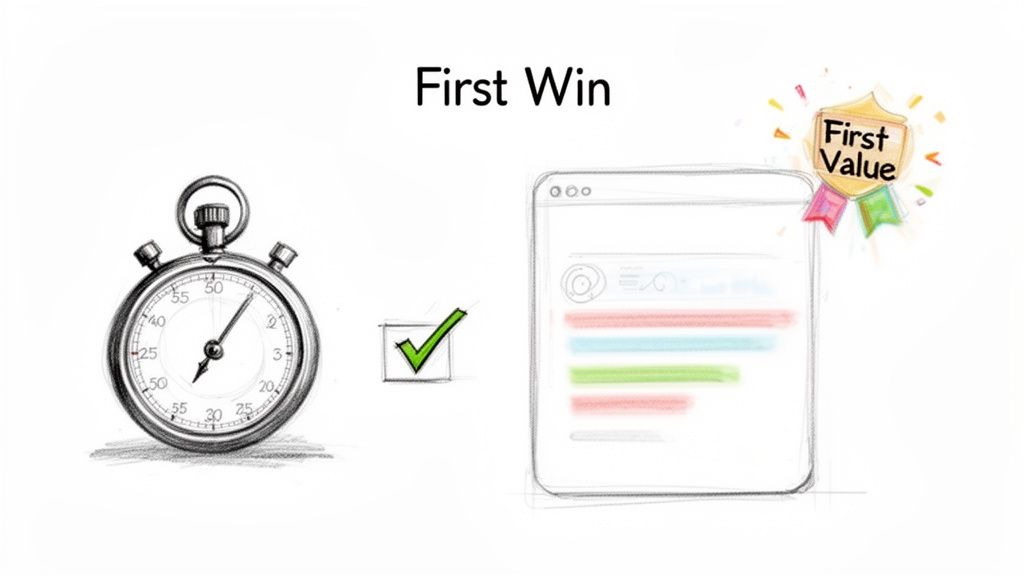
This approach engineers an immediate “aha” moment that reinforces the user’s signup decision. By removing friction from an initial core action, you prove your product’s value instantly.
Why It Works for SaaS
This tactic dramatically shortens the Time-to-First-Value (TTFV) metric. Reducing TTFV from hours to minutes has a direct positive impact on Day 1 retention and overall trial engagement.
A Practical Example
A B2B social media scheduler identifies that users who schedule one post in their first session are 70% more likely to convert. They redesign their onboarding to focus solely on this action.
The user is prompted to connect just one social account.
The app provides a pre-written sample post.
A large button says “Schedule Your First Post.”
This change decreases their TTFV from 15 minutes to 90 seconds and increases their trial-to-paid conversion rate by 18%.
Implementation Section
Identify the Quick Win: Determine the simplest action that produces a tangible output.
Use Templates or Defaults: Pre-populate data or provide templates to minimize user input.
Strip the UI: Hide all non-essential navigation and options during this first task.
Celebrate Completion: Use a success modal or confetti animation to acknowledge the user’s achievement.
Track TTFV: Use analytics to measure the average time from signup to completion of this quick win.
Measuring Success
Primary Metric: Time-to-First-Value (TTFV).
Business Metric: Trial-to-Paid Conversion Rate.
Secondary Metric: The feature adoption rate of secondary features after the quick win is completed.
Focusing on a quick win is an effective customer onboarding best practice because it proves value before asking for commitment.
6. Multi-Channel Asynchronous Support and Knowledge Access
Multi-channel support equips users with self-service resources like knowledge bases and video tutorials. This ensures users can find answers 24/7, removing friction by making help accessible whenever they need it.
By offering a blend of on-demand content and direct support, you cater to different learning preferences. This strategy accelerates problem resolution, preventing minor roadblocks from derailing a user’s progress.
Why It Works for SaaS
A strong self-service offering directly reduces your Support Ticket Volume. Companies that invest in a quality knowledge base often see a 30-40% ticket deflection rate, which lowers operational costs and frees up the support team for more complex issues.
A Practical Example
A SaaS company notices many trial users ask the same question: “How do I import my data?”
They create a 2-minute video tutorial showing the process.
They write a step-by-step help article with screenshots.
They embed a link to the article directly within the “Data Import” section of the app.
This proactive approach solves the user’s problem before they even need to contact support.
Implementation Section
Audit Support Tickets: Identify the top 10 most common questions from trial users.
Create Content: For each question, create a short help article or video.
Choose a Platform: Use a tool like Intercom, Zendesk, or Help Scout to host your knowledge base.
Embed Help In-App: Use a help widget to make the knowledge base searchable from within your product.
Measure and Refine: Track which articles are most popular and which search terms return no results to identify content gaps.
Measuring Success
Primary Metric: Ticket Deflection Rate.
Business Metric: Customer Satisfaction (CSAT) scores related to onboarding support.
Secondary Metric: Knowledge Base Search Success Rate.
Providing robust, multi-channel support is a cornerstone of customer onboarding best practices, as it empowers users to overcome hurdles independently.
7. Data-Driven Iteration and A/B Testing of Onboarding
Data-driven iteration involves systematically testing variations of your onboarding experience. Rather than relying on assumptions, decisions about copy and user flows are based on quantitative evidence.
By isolating variables and measuring their impact on activation metrics, you can methodically refine the journey. This empirical approach ensures every change contributes positively to conversion rates.
Why It Works for SaaS
A consistent A/B testing program can lead to a significant, compounding lift in your Trial-to-Paid Conversion Rate. Even small, incremental wins of 5-10% per test add up to a much more efficient growth engine over time.
A Practical Example
An analytics SaaS wants to improve its welcome email.
Hypothesis: A subject line focused on action will outperform a generic welcome.
Control (A): “Welcome to Acme Analytics”
Variant (B): “Your first report is 3 clicks away”
They run a test on 5,000 new trial users. Variant B increases the “first report created” metric by 18%. This simple copy change directly improved their core activation KPI. You can learn more about the principles of A/B testing to get started.
Implementation Section
Form a Hypothesis: Start with a clear, testable idea. “I believe changing X will result in Y because of Z.”
Choose One Variable: Test only one element at a time (e.g., a headline, a button color, the number of steps in a tour).
Use an A/B Testing Tool: Implement a tool like Optimizely, VWO, or your in-app guidance platform’s testing feature.
Determine Sample Size: Ensure you have enough traffic to get a statistically significant result (usually 95% confidence).
Document Learnings: Keep a repository of all tests, whether they won or lost, to inform future strategy.
Measuring Success
Primary Metric: Conversion Rate Lift on the specific goal of the test.
Business Metric: Overall Trial-to-Paid Conversion Rate.
Secondary Metric: Statistical Significance (Confidence Level).
A commitment to data-driven iteration turns your onboarding into an optimized engine for growth, making it an essential customer onboarding best practice.
8. Strategic Email Drip Campaigns and Follow-Up Sequences
Strategic email campaigns deliver automated, behavior-triggered messages that guide users toward activation. These sequences complement in-product guidance by reinforcing value and re-engaging inactive users.
By coordinating emails with in-app actions, you create a cohesive experience. An email can nudge a user to try a feature they missed or provide helpful resources after they complete a key step.
Why It Works for SaaS
Behavioral email campaigns directly increase your User Engagement Rate during the trial period. A well-timed sequence can increase the number of active days in the first week by 25-40%, strongly correlating with higher conversion rates.
A Practical Example
A collaboration tool wants users to invite their teammates, a key activation event.
Trigger: A user creates a project but doesn’t invite anyone within 24 hours.
Email Sent: An automated email is sent with the subject “Get more done with your team.”
Content: The email highlights 3 benefits of collaboration and has a single CTA button: “Invite Your Team.”
This single automation drove a 15% increase in team member invites, a primary activation metric.
Implementation Section
Map the User Journey: Identify key activation milestones and potential drop-off points.
Define Triggers: Set up event-based triggers in your marketing automation platform (e.g., HubSpot, Customer.io).
Write Focused Emails: Each email should have one goal and one clear call-to-action (CTA).
Personalize the Content: Use tokens like
{first_name}and reference the user’s recent in-app activity.A/B Test Subject Lines: Continuously test subject lines to optimize open rates.
Measuring Success
Primary Metric: Click-Through Rate (CTR) on the email’s CTA.
Business Metric: Lift in the targeted activation milestone (e.g., percentage of users who invite a teammate).
Secondary Metric: Email Open Rate.
Email drip campaigns are a crucial customer onboarding best practice because they extend the journey beyond the product itself.
9. Friction-Reduced Signup and Account Setup
Friction-reduced signup streamlines the first steps a user takes to create an account. It eliminates unnecessary fields, clicks, and verification hurdles. This lowers the barrier to entry and reduces trial abandonment.
This approach leverages social logins (SSO) and minimal data collection to get users to their “aha” moment faster. A user can be inside their new workspace with a single click, moving instantly from intent to action.
Why It Works for SaaS
Simplifying your signup flow directly boosts your Signup Completion Rate. Offering Google SSO can increase trial signups by 15-25% alone, as it removes the need to create and remember a new password.
A Practical Example
A B2B project management SaaS replaced their seven-field signup form with a much simpler one.
Old Form: Name, Email, Password, Company Name, Company Size, Role, Phone Number.
New Form: A large “Sign up with Google” button, with a small link below for “or use your email.” The email option only asks for work email and password.
This change increased their trial signup completion rate by 22% in the first month.
Implementation Section
Implement Social Logins: Add Google SSO as the primary option. Add LinkedIn or GitHub if relevant to your audience.
Minimize Fields: For the standard email option, ask only for what is absolutely necessary (email, password).
Defer Verification: Allow users to enter the product immediately. Display a banner asking them to verify their email later.
Use Enrichment Tools: Use tools like Clearbit to automatically populate company data based on the user’s email domain, rather than asking for it.
Measuring Success
Primary Metric: Signup Completion Rate.
Business Metric: Total volume of new trials created.
Secondary Metric: Percentage of users choosing SSO vs. email.
By optimising the very first step, friction-reduced signup acts as a powerful lever in your customer onboarding best practices.
10. Conversational AI and Intelligent Chatbots During Onboarding
Intelligent chatbots offer immediate, 24/7 assistance to new users. They answer questions and provide guidance within your product during the crucial trial period. These bots remove the delays associated with live support.
Unlike basic bots, AI-powered versions can interpret natural language and learn over time. This proactive assistance helps users overcome friction without leaving the app, accelerating their journey to activation.
Why It Works for SaaS
A well-trained chatbot can improve your Support Ticket Resolution Time and reduce volume. By handling 30-40% of common queries instantly, they lower support costs and increase user satisfaction during the critical first few days.
A Practical Example
A fintech SaaS deploys a chatbot trained on their knowledge base.
A user is trying to connect their bank account and gets stuck.
They open the chat widget and type, “I can’t connect my bank.”
The bot instantly replies with a link to the help article and a 1-minute video tutorial on the process.
It then asks, “Did this solve your problem?” If the user says no, it automatically creates a ticket for a human agent.
Implementation Section
Identify Common Questions: Analyze support tickets to find the top 10-15 questions from new users.
Choose a Platform: Select an AI chatbot platform like Intercom, Drift, or Zendesk.
Train the Bot: Build conversational flows for each common question, linking to relevant help documentation.
Create an Escalation Path: Ensure users can easily request to speak with a human at any point.
Monitor and Refine: Review bot conversations weekly to identify where it fails and improve its responses.
Measuring Success
Primary Metric: Ticket Deflection Rate.
Business Metric: Time-to-Resolution for onboarding queries.
Secondary Metric: User satisfaction scores on bot interactions.
Intelligent chatbots are a cornerstone of modern customer onboarding best practices because they deliver scalable, instant support.
10-Point Customer Onboarding Best Practices Comparison
Use this table as a decision matrix
Choose the approach that matches your onboarding motion (self-serve vs. sales-assisted), then implement just one practice and track a single primary metric.
| Approach | Implementation Complexity 🔄 | Resource Requirements ⚡ | Expected Outcomes 📊 | Ideal Use Cases 💡 | Key Advantages ⭐ |
|---|---|---|---|---|---|
| Automated Guided Tours and In‑App Walkthroughs | Medium 🔄 — front‑end hooks, trigger logic, ongoing optimization | Moderate ⚡ — UX/content, instrumentation, analytics | High 📊⭐ — faster time‑to‑value, higher feature discovery & conversions | Self‑serve trials; feature discovery for new users | Scales onboarding with behavioral triggers; measurable completion |
| Progressive Profiling and Smart Data Collection | Medium‑High 🔄 — conditional logic, sequencing, privacy controls | High ⚡ — data infra, enrichment APIs, compliance effort | High 📊 — better segmentation and personalized journeys | B2B onboarding needing rich user/company context | Higher data quality enabling hyper‑personalization |
| Behavioral Activation Events and Milestone Tracking | High 🔄 — event design, attribution, analytics pipelines | High ⚡ — instrumentation, analytics team, real‑time monitoring | High 📊⭐ — early blocker detection, proactive interventions, lower churn | Products with clear micro‑moments and activation funnels | Enables trigger‑based guidance and data‑driven optimization |
| Personalized Onboarding Paths Based on User Segments | High 🔄 — segment logic, multiple path maintenance | High ⚡ — content variants, testing, segmentation analysis | High 📊 — increased conversions and feature adoption | Diverse personas (admin vs user), enterprise vs SMB flows | Tailored journeys that boost conversion and expansion |
| Rapid Value Demonstration Through Quick Wins | Low‑Medium 🔄 — identify & design First‑Value flows | Moderate ⚡ — UX, sample data, minimal setup work | Very High 📊⭐ — immediate engagement; quicker retention | Products with a clear, simple core value to showcase quickly | Fast time‑to‑first‑value; strong emotional engagement |
| Multi‑Channel Asynchronous Support and Knowledge Access | Medium 🔄 — knowledge base, chat, ticketing integration | Moderate‑High ⚡ — content creation, platform ops | Moderate‑High 📊 — lower support costs; higher satisfaction | Complex products needing 24/7 self‑help and tutorials | Scales support, searchable reference, reduces live support load |
| Data‑Driven Iteration and A/B Testing of Onboarding | Medium‑High 🔄 — experiment design, significance, tracking | Moderate ⚡ — experimentation tools, analysts, traffic | High 📊⭐ — validated improvements; compounding gains over time | High‑traffic onboarding funnels seeking continuous improvement | Evidence‑based decisions that optimize conversions reliably |
| Strategic Email Drip Campaigns and Follow‑Up Sequences | Low 🔄 — automation rules and behavior triggers | Low‑Moderate ⚡ — copywriting, ESP, segmentation | Moderate 📊 — re‑engagement and reinforcement outside product | Re‑engaging inactive trials; multi‑touch nurture flows | Low‑cost scale; coordinates omnichannel messaging |
| Friction‑Reduced Signup and Account Setup | Low‑Medium 🔄 — auth integrations, enrichment, SSO | Moderate ⚡ — auth providers, enrichment services | High 📊 — higher signup completion; faster product entry | Maximizing trial volume and reducing abandonment | Removes entry barriers; increases trial reach and accuracy |
| Conversational AI and Intelligent Chatbots During Onboarding | High 🔄 — NLU, context, escalation flows, training | High ⚡ — training data, maintenance, platform costs | Moderate‑High 📊 — instant answers; reduced ticket volume | High‑volume support scenarios with repeatable Qs | 24/7 instant assistance; learns from interactions to improve |
How EngageKit Helps You Run Trials on Autopilot
Most trials fail because onboarding isn’t orchestrated. It’s scattered across a tour tool, an email tool, and an analytics dashboard, with no single system deciding what should happen next for each user.
EngageKit is built to make your free trials run on their own: it helps you define the milestones that matter, detect when users stall, and automatically trigger the next best onboarding step.
Think “orchestration,” not “more messages”
The goal isn’t to spam users. It’s to deliver the right guidance at the right moment, based on real product behavior.
What “Autopilot Trials” Look Like
Behavior-based triggers: Start a journey when a user signs up, completes setup, or hits a blocker (e.g., no key action after 24 hours).
Milestone-driven onboarding: Move users through a clear activation path (the same milestone logic you defined in Best Practice #3).
Segment-specific journeys: Route admins vs. end users through different guidance and nudges (Best Practice #4).
Automated recovery loops: If a user stalls, automatically send a targeted nudge, show a contextual prompt, or surface a help resource (Best Practices #6 and #8).
Measurement built-in: Track completion, time-to-value, and conversion impact so you can iterate confidently (Best Practice #7).
From Onboarding to Advocacy: Your Next Steps
We have covered ten pivotal customer onboarding best practices. Each strategy is a powerful lever for transforming a passive trial into an active partnership. The core theme is a shift in mindset: move from a static checklist to a dynamic system that adapts to each user’s journey.
Effective onboarding is not a feature tour. It is a process designed to guide users to their “aha!” moment as quickly as possible. By focusing on activation events, personalised paths, and quick wins, you are not just teaching someone how to use your software. You are proving its indispensable value.
Synthesising the Best Practices into a Cohesive Strategy
The true power of these concepts emerges when they are integrated. Imagine a new user signing up. They receive a personalised email based on their signup data (Practice #2). In the product, a tour guides them to their first activation milestone (Practice #1 & #3).
If they get stuck, they have immediate access to multi-channel support (Practice #6). Automated emails trigger based on their actions, offering relevant tips (Practice #8). This entire experience is continuously refined through A/B testing (Practice #7). This is the gold standard for modern SaaS onboarding.
Your Actionable Implementation Plan
Mastering these customer onboarding best practices can feel overwhelming. Progress is made through iterative action. Do not try to overhaul everything at once.
Identify the Biggest Leak: Analyze your onboarding funnel. Where do most users drop off? Is it before initial setup? Pinpoint the single biggest point of friction.
Select One Practice to Implement: Choose the single best practice from this article that addresses that bottleneck. If users aren’t discovering a key feature, start with a guided tour.
Define a Success Metric: Connect your tactic to a measurable outcome. Your goal might be to “increase the percentage of users who perform X action within 48 hours by 15%.”
Measure, Learn, and Iterate: Deploy your solution and track the results. Did it move the needle? Use these insights to refine your approach or identify the next bottleneck to fix.
Ultimately, a superior onboarding process is your most powerful growth lever. It directly impacts activation, conversion, and retention. It transforms your product from a tool a customer tries into a solution they cannot work without.
One-week sprint suggestion
Pick one onboarding bottleneck, ship one improvement, and set up one dashboard. Momentum beats a perfect plan.
Prefer a quick overview first? Visit EngageKit.
Subscribe to our newsletter
The latest news, articles, and resources, sent to your inbox weekly.